QuickBooks Online diagnostic and cleanup workflow software
Built for the people
who fix the books.
Give your firm a built-in diagnostic. Turn the assessment into a report and cleanup plan. Carry the work through cleanup, recurring bookkeeping and the next close.
In use at For The Love of Bookkeepers, with client-portal testing underway. Not yet available to other firms.
What changes for your firm
A process to start from.
A plan to work from.
The accounting work stays with your firm. BrokenBooks connects the assessment to what comes next.
A diagnostic already built in
Use a practitioner-developed review process with your client’s QBO reports and supporting records.
Findings that shape the work
Your answers produce a diagnostic report and cleanup plan for your firm to review and carry out.
Continuity beyond cleanup
Continue into recurring services, accounting-period tasks, year-end work and the CPA handoff.
Built from 25 years in accounting. Developed and used at the founder’s firm, For The Love of Bookkeepers.
Start with a structured
diagnostic.
Work through the built-in review using QBO reports and supporting records. Your answers shape the findings, diagnostic report and cleanup plan. Your firm reviews the results before sharing them.
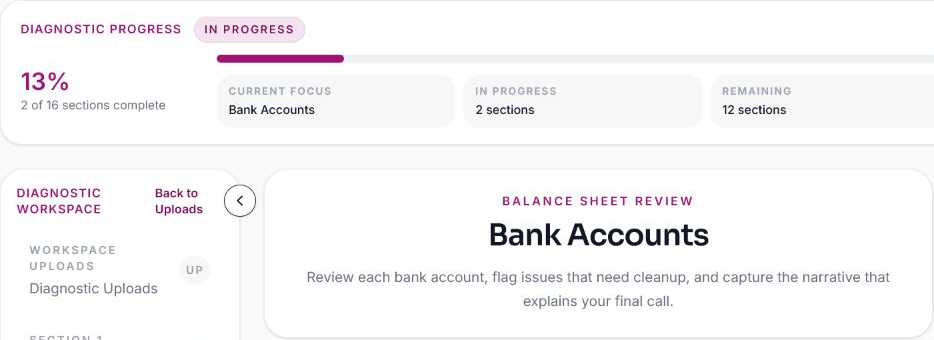
Supported review types: Comprehensive Diagnostic and Financial Reliability Review.
Explore the diagnosticA cleanup plan.
Then the work to
carry it out.
Bring the report, cleanup proposal and payment into the same engagement. Tasks and client requests are generated from the review to support execution.
Your firm carries out the plan, addresses the findings in QBO and reviews the completed work. Keep the agreed scope, supporting records and progress together.
See the cleanup workflow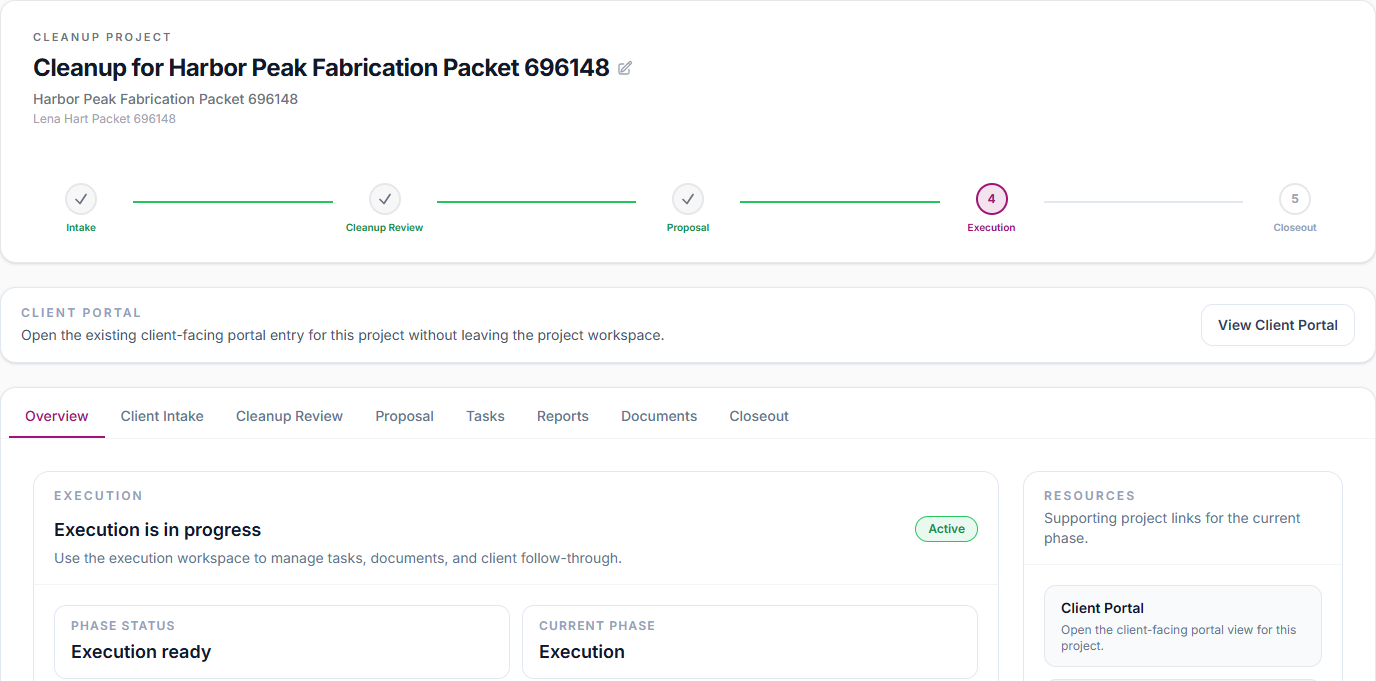
A clear place for
clients to respond.
Clients see what needs their attention, answer requests and provide documents through their portal. They can follow diagnostic milestones and access published results.
Internal review notes and diagnostic reasoning stay separate from what clients see.
Explore the client portal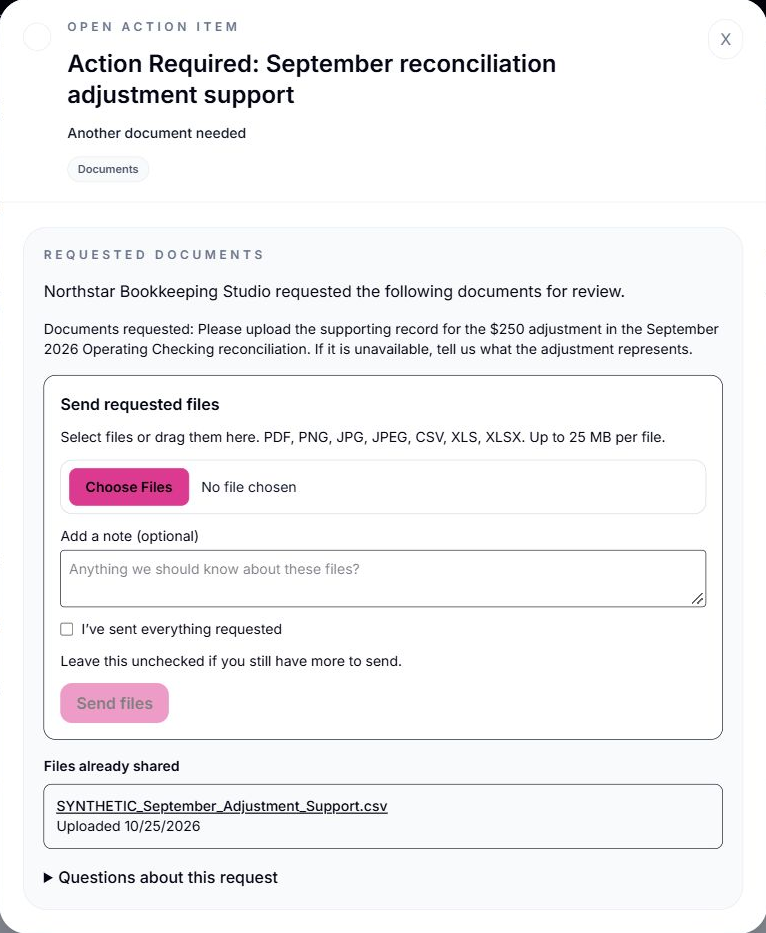
Built for the work
after cleanup, too.
Choose the ongoing services and how often each is needed. BrokenBooks creates the proposal and supports recurring work within the client’s annual project, organized by accounting period.
Agree the engagement
Services & frequency
Define the recurring work and present the proposal for your client to review and approve.
Work each period
Tasks & workpapers
Keep each period’s work, documents and client requests together as your firm completes the books.
Close & continue
Year-end & beyond
Prepare the CPA handoff and carry the engagement into the next year with prior records preserved.
The complete workflow
From the first review
to the next close.
Nine connected stages, showing what your firm does and what BrokenBooks handles.
- 01Your firm
Guided diagnostic
Work through the built-in diagnostic using the client’s QBO reports and supporting records.
- 02BrokenBooks + your firm
Report & cleanup plan
Diagnostic answers generate a report and cleanup plan. Your firm reviews the results before sharing.
- 03Your firm + client
Proposal, approval & payment
Present the cleanup scope and fees for client approval. Handle payment within BrokenBooks.
- 04BrokenBooks
Tasks & client requests
Tasks and related client questions are generated from the review to support the cleanup work.
- 05Your firm
Carry out the cleanup plan
Address the findings in QBO, review the completed work and prepare the CPA packet with supporting records and outstanding items.
- 06Your firm + BrokenBooks
Set up the ongoing engagement
Select services and frequency after cleanup or for a new client. BrokenBooks creates the proposal for client review.
- 07Your firm + BrokenBooks
Work each accounting period
Work through generated recurring tasks in the annual project, with each period’s documents, requests and workpapers together.
- 08Your firm + BrokenBooks
Year-end & the CPA handoff
Complete closeout work and bring the year’s information together for the CPA handoff, preserving supporting records.
- 09Your firm + BrokenBooks
Continue into the next year
Continue into the next year’s project. Review the engagement, pricing and services while keeping prior-year records intact.
Earlier product walkthrough
Take a look inside BrokenBooks.
See the interface in this earlier product walkthrough. Some screens have since changed.
This walkthrough uses synthetic, prepopulated demo data and real BrokenBooks product screens.

Built from firm work
Created by someone
who does the work.
Candice Thompson owns For The Love of Bookkeepers and brings 25 years of accounting experience, including complex QuickBooks Online cleanup.
BrokenBooks brings the diagnostic and cleanup process used in her practice together with the systems needed to run the engagement.
Who is BrokenBooks built for?
Bookkeeping and accounting firms assessing and cleaning up QuickBooks Online books, with support for the recurring engagement that follows.
Does it do the accounting work for us?
No. Your firm evaluates the records, reviews the diagnostic results, carries out the cleanup and reviews the completed work. BrokenBooks provides the diagnostic process and connected workflow.
Is it only for cleanup projects?
No. It also supports ongoing service proposals, recurring tasks organized by accounting period, year-end closeout and the CPA handoff.
Can our firm use it now?
Not yet. BrokenBooks is in use at For The Love of Bookkeepers, with client-portal testing underway. It is not yet available to other firms.
What happens if I request updates?
You’ll receive occasional product and launch updates by email. This is not a beta application or a guarantee of launch timing. The button takes you to the existing BrokenBooks updates page.
Hear when BrokenBooks
is available to your firm.
Get occasional product and launch updates as BrokenBooks prepares to become available to other firms.

